
Live Software Updates
Stay informed about the latest Android and Custom UI updates for TECNO and Infinix smartphones.
Infinix HOT 60i Gets First August 2026 Update With Android 15 Security and Performance Improvements
1. Check Which Apps Are Draining the Battery The first step is to identify the real culprit. Go to Settings > Battery and check the battery usage section. Look for apps that are using an unreasonable amount of your battery. If you find an app that is using significantly more battery than you expect, check if you can disable its background activity. Don't disable background activity for all apps. Some apps need background activity to allow you to receive notifications. 2. Lower the Screen Brightness Your screen is one of the biggest battery drains, especially if you keep it at maximum brightness. Instead, use the auto-brightness function if available or simply lower the brightness when you are indoors. You will be surprised how much difference a little change can make in a single day. 3. Check the Refresh Rate If your Infinix phone has a high refresh rate, check its settings. While higher refresh rates usually make the screen smoother, they can also be power-hungry. If you want to save battery, lower the refresh rate or use an automatic option, if available. Higher refresh rate: Smoother scrolling and animations. Lower refresh rate: Better battery efficiency. Automatic refresh rate: A balance between smoothness and battery life, if supported. 4. Disable Unnecessary Background Activity Some apps can be quite heavy on your phone's battery, even when you are not actively using them. Go to your phone's battery or app settings and look for apps with high background activity. If you don't use an app much, you can disable its background activity. However, don't disable background activity for messaging apps or email apps, as you may not be able to receive notifications in a timely manner. 5. Turn Off Always-On Display, If Possible If your Infinix phone has an Always-On Display feature, check if it is enabled. While the Always-On Display can be useful, it can also consume additional power. If you are trying to save battery, try turning it off and see if it makes a difference. 6. Disable Unnecessary Location Access Location access can also be a battery drainer, especially if apps are constantly asking for your location. Go to your app permissions and disable location access for apps that do not need it. However, if you use your phone's location features often, don't turn off location access completely. 7. Disable Unnecessary Notifications Every notification that comes out on your phone can be a potential battery drainer. Notifications can turn on the screen, use data, and, in some cases, trigger background activity. Go to your notification settings and disable notifications for apps that you don't really need. Make sure to leave notifications enabled for apps that you actually need. A cleaner notification system can also make your phone less cluttered. 8. Use Battery Saver When Necessary Your Infinix phone has a battery-saving feature that can help you get more out of a single charge. Battery Saver is useful in situations where you are away from a power source or when you need to make the most out of your battery. Instead of keeping Battery Saver on at all times, use it when you need to. 9. Watch Out for Poor Network Signal This one might be surprising, but your phone's battery can also drain because of a poor network signal. Your phone has to work harder to receive and send signals when the network is unstable. If you are in an area with a poor network signal, you may notice that your phone's battery drains faster than usual. If possible, use Wi-Fi instead of cellular data when you have a reliable Wi-Fi connection. 10. Turn Off Hotspot and Bluetooth When Not in Use Mobile Hotspot can be a huge battery drainer because your phone has to keep the hotspot running while also providing cellular data for other devices. Turn off Hotspot when you are done using it. The same goes for Bluetooth. If you are not using a Bluetooth device, you can turn it off. 11. Remove Unused Apps Unused apps can sometimes contribute to battery drain, so make sure to remove apps that you don't use. While some apps can be set to not run in the background, it is better to remove them completely if you no longer need them. This way, you can also free up some storage space on your phone. 12. Restart Your Phone, If Necessary If your phone's battery is draining faster than normal, a simple restart can sometimes do the trick. Sometimes, a random process can cause your phone to behave strangely. If the issue persists for a few days, check your battery settings again and look for an app or process that is using too much battery. What to Avoid You might come across apps that promise to increase your battery life by "boosting RAM" or killing background processes. You don't really need these apps. Modern Android phones have built-in mechanisms for managing background processes. Constantly killing background apps can actually be counterproductive because apps may have to reload themselves when you open them again. It is better to identify the real cause of the issue instead of relying on third-party battery-saving apps. After a Major XOS Update If your phone recently got a major XOS or Android update, don't worry if the battery life seems to be affected. After a major update, your phone might have to perform some background processes, such as optimizing apps or syncing data. Give your phone some time and check your battery life again after a few days. When to Worry About a Faulty Battery While settings can help you identify many battery issues, they cannot fix a faulty battery. If your phone is several years old, it might be time to consider getting a new battery. If your phone is shutting down randomly, losing a lot of battery power in a short time, or getting hot for no reason, it might be a sign that something is wrong with the battery. Don't ignore unusual heating or swelling of the battery. Final Thoughts You don't have to turn off all the cool features on your Infinix phone just to get more battery life. The most important settings to tweak are screen brightness, screen refresh rate, background activity, location access, network signal, and battery settings. Most importantly, make sure to identify the app or process that is using too much battery before you start disabling features. It will make troubleshooting much easier and you won't have to miss out on the features that you actually need.
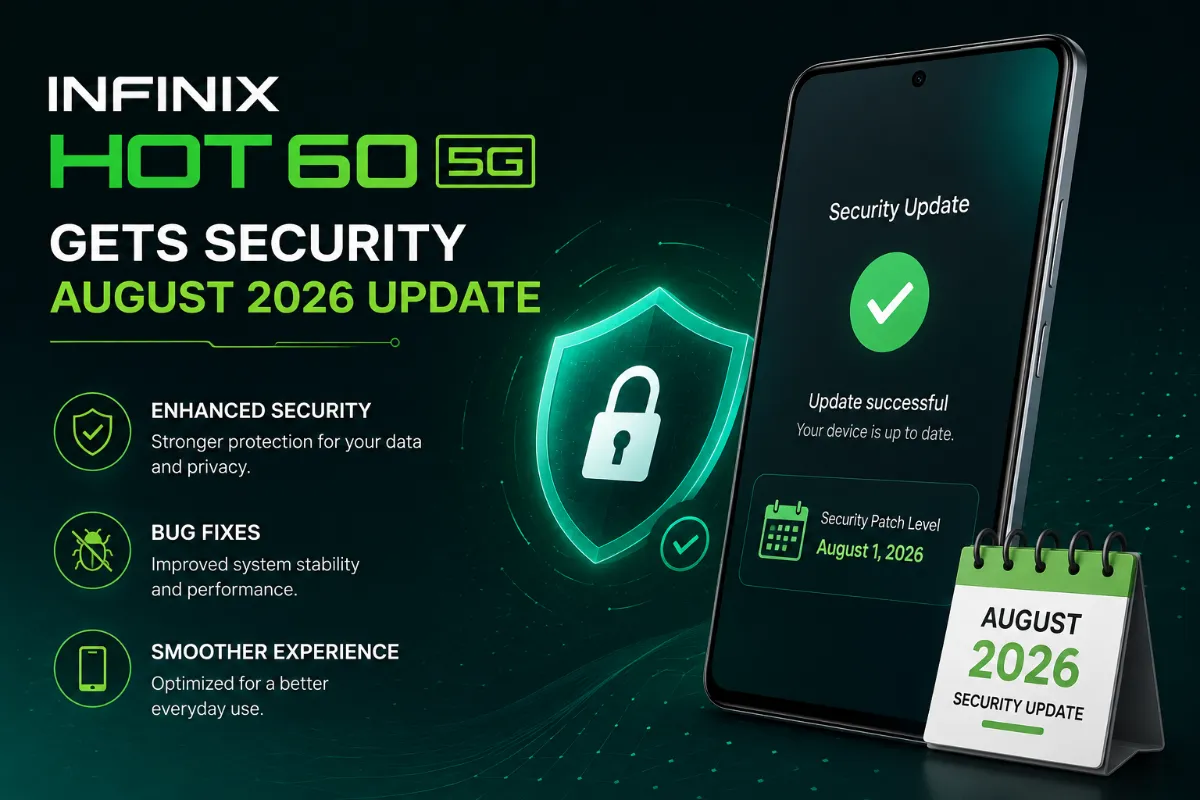
Infinix HOT 60 5G Gets August 2026 Security Update With Stability Improvements
Infinix HOT 60 5G Gets August 2026 Security Update With Stability Improvements Infinix HOT 60 5G has begun receiving a new Over-The-Air (OTA) software update for the Global – OP Market. The update brings Android 15-based security enhancements, system-wide stability improvements, app compatibility optimizations, and overall experience enhancements. Unlike major Android 16 and XOS 16 upgrades released for some Infinix devices, this particular update is maintenance-focused and primarily targets general stability, compatibility, and security improvements. The latest OTA update also brings the August 1, 2026 Google Security Patch, along with various other improvements and optimizations. The update has a total download size of approximately 524.9 MB. August 2026 Security Patch The main highlight of the latest update is the August 1, 2026 Google Security Patch. Although most security fixes are not directly visible to users, they address issues across Android components and help improve the overall security of the device. For Infinix HOT 60 5G users, installing the latest security patch keeps the smartphone updated with the security improvements included in this release. New Pre-Installed Keyboard Support Another change included in the latest OTA update is support for a new pre-installed keyboard for additional countries. This gives users in supported regions access to additional keyboard options at the system level. Although this may not be a major change for every user, the addition improves regional support and provides a more suitable typing experience for users in supported markets. Floating Window System Restart Fix One of the important issues addressed by the update is an intermittent system-level problem that could cause the device to restart randomly under certain conditions. According to the official changelog, Infinix has worked on resolving this issue to improve overall system stability. Users who experienced unexpected restarts while using floating-window features may find that the problem has been addressed after installing the latest update. Improved App Compatibility in Floating Window Mode The update also improves compatibility for applications running in floating window mode. Floating windows allow users to run an application in a smaller window above other content. This makes it possible to interact with multiple applications at the same time. The improved compatibility should help reduce glitches and errors when supported applications are used in floating-window mode. Better System Stability and Performance In addition to the specific fixes mentioned in the changelog, Infinix has included various smaller system optimizations. These improvements focus on overall system stability and performance. While many of these changes may not be immediately noticeable, they can contribute to a smoother and more reliable Android experience. The update also includes other minor improvements and optimizations designed to refine the existing software rather than introduce major new features. Update Size and Installation Notes The latest OTA update for the Infinix HOT 60 5G is approximately 524.9 MB. Users should make sure that enough free storage is available before downloading and installing the update. A stable internet connection, preferably Wi-Fi, is also recommended. It is recommended to connect the phone to a charger if the battery level is below 50% before starting the OTA installation. Users should also avoid restarting or powering off the device while the software update is being installed. How to Update Infinix HOT 60 5G To check whether the latest OTA update is available, open the Settings application and navigate to the System Update section. If the update has reached your device, the new software version should appear there along with the option to download and install it. OTA updates are generally released in stages, so the update may not appear on every device at the same time. Availability can also depend on the region and market. Update Details Device: Infinix HOT 60 5G Region: Global – OP Market Operating System: Android 15 Version / OS: Android 15 / XOS 15 Update Size: 524.9 MB Security Patch: August 1, 2026 Update Type: OTA Security Update Key Changes August 1, 2026 Google Security Patch New pre-installed keyboard support for additional countries Floating-window system restart fix Improved application compatibility in floating-window mode System stability improvements Performance optimizations Additional bug fixes and system improvements Final Thoughts The latest Infinix HOT 60 5G OTA update is a maintenance-focused release that brings several useful improvements to the Android 15-based system. The most important part of the update is the August 1, 2026 Google Security Patch, which keeps the device updated with the latest security improvements included in this release. Infinix has also addressed an intermittent restart issue related to floating-window usage and improved application compatibility in floating-window mode. The new keyboard support for additional countries further expands the device's regional functionality. Beyond these changes, the update includes various system stability, performance, and compatibility optimizations. With a size of approximately 524.9 MB, the update is considerably smaller than a major Android or XOS upgrade. For Infinix HOT 60 5G users, this OTA release is primarily focused on security, stability, application compatibility, and improving the overall reliability of the device.
Infinix NOTE 40 Pro+ 5G Gets Major Android 16 & XOS 16 Update
Infinix NOTE 40 Pro+ 5G Gets Major Android 16 & XOS 16 Update The Infinix NOTE 40 Pro+ 5G Global – OP Market variant is receiving a major software upgrade, bringing Android 16 alongside the latest XOS 16.3.0 experience. This is a significant software update for the device, moving it from Android 15 to Android 16 while introducing a refreshed interface, new AI-powered features, improved search capabilities, and deeper lock-screen customization. Unlike a regular security update, this release brings a major change to the software foundation of the NOTE 40 Pro+ 5G. Infinix is combining the latest Android version with its updated XOS experience to make the device smarter, more modern, and more personalized. The update is approximately 8.8 GB in size, making it a large OTA package. Users should therefore make sure sufficient storage is available and use a stable Wi-Fi connection before downloading the update. Android 16 Arrives on NOTE 40 Pro+ 5G The biggest change in this update is the move from Android 15 to Android 16. The new Android version brings improvements focused on security, features, system functionality, and the overall user experience. Infinix is also using Android 16 as the foundation for its latest XOS software, allowing the NOTE 40 Pro+ 5G to benefit from the new platform while receiving additional features developed specifically for Infinix devices. For users who have been waiting for the next major Android upgrade, this release represents an important software milestone for the NOTE 40 Pro+ 5G. The update also includes the July 2026 security patch, bringing updated security improvements to the device. XOS 16 Brings a Refreshed Look Along with Android 16, the smartphone is being upgraded from XOS 15.1.2 to XOS 16.3.0. The new XOS version focuses on providing a smarter user interface and a refreshed appearance. Infinix has also introduced new system-level tools designed to make everyday tasks easier. Rather than being only a visual update, XOS 16 adds several intelligent features that can be used for productivity, searching, scheduling, and personalization. This combination of Android 16 and XOS 16 gives the NOTE 40 Pro+ 5G a substantially newer software experience compared with its previous Android 15-based version. AI Features Take Center Stage Artificial intelligence is one of the major highlights of the new XOS experience. Infinix has added several AI-powered system capabilities that are designed to help users perform common tasks more quickly and efficiently. AI Class Timetable The Calendar application now includes an AI Class Timetable feature. Users can upload an image of their timetable or take a photo of it directly. The AI system can recognize the information and automatically generate a timetable. The feature also includes class reminders, helping students keep track of lectures, classes, and other academic activities. This can be particularly useful for students who have complicated schedules and would otherwise need to manually enter each class into their calendar. AI Email Assistant The update also introduces an AI Email Assistant for writing and managing emails. The feature can help users create emails with a single tap, refine existing content, and provide smart reply suggestions based on the context of the conversation. For users who frequently deal with academic, professional, or personal emails, this feature can make communication faster and reduce the effort required to write routine messages. The AI can help improve the structure and wording of messages while allowing users to make the final changes before sending them. AI Search Another major addition is the improved AI Search system. The new search experience supports fuzzy search, smart auto-completion, cross-language search, and natural-language understanding. This means users can search for content even when they do not remember the exact wording or name. The system is designed to better understand what users are trying to find and make search input more convenient. Cross-language search can also be useful for users who regularly use multiple languages on their smartphone. Lock Screen Gets Deeper Personalization XOS 16 also introduces a more advanced lock-screen customization system. Instead of simply selecting a wallpaper, users can now personalize several aspects of the lock screen. The new framework supports custom clock designs, depth effects, wallpaper extension, and other personalization options. These features give users more flexibility when creating their preferred lock-screen appearance. The goal is to make each lock screen feel more personal rather than relying on a standard design. The depth effects can also create a more layered appearance, making supported wallpapers interact more naturally with elements such as the clock. Large Software Update The Android 16 and XOS 16 update is approximately 8.8 GB, making it one of the larger software packages available for the NOTE 40 Pro+ 5G. Because of the size, users should check their available storage before starting the installation. A reliable Wi-Fi connection is strongly recommended for downloading such a large update. Infinix also recommends connecting the phone to a charger if the battery level is below 50% before beginning the OTA upgrade. Users should avoid interrupting the installation process once it has started and allow the phone to complete the update normally. What Users Can Expect After installing the update, NOTE 40 Pro+ 5G owners can expect a significantly refreshed software experience. The major changes include the transition to Android 16, the introduction of XOS 16.3.0, new AI-powered features, smarter system search, improved lock-screen customization, and updated security. The update is designed to make the smartphone more useful for both everyday users and people who rely heavily on their device for productivity. Students can benefit from the AI Class Timetable, while professionals and regular users may find the AI Email Assistant and improved AI Search more useful in daily situations. Update Details Device: Infinix NOTE 40 Pro+ 5G Region: Global – OP Market Previous Version: Android 15 / XOS 15.1.2 New Version: Android 16 / XOS 16.3.0 Update Size: 8.8 GB Security Patch: July 2026 Update Type: Major OTA Software Update Key Features Android 16 upgrade XOS 16.3.0 upgrade AI Class Timetable AI Email Assistant Improved AI Search Fuzzy search Smart auto-completion Cross-language search Natural-language understanding Custom clock designs Lock-screen depth effects Wallpaper extension July 2026 security patch Final Thoughts The Infinix NOTE 40 Pro+ 5G Android 16 and XOS 16.3.0 update is a major software upgrade that brings much more than a simple Android version change. The move from Android 15 to Android 16, combined with the upgrade from XOS 15.1.2 to XOS 16.3.0, gives the device a refreshed and smarter software experience. The new AI Class Timetable, AI Email Assistant, and AI Search features add useful intelligence to everyday tasks, while the expanded lock-screen customization gives users greater control over the look and feel of their device. The July 2026 security patch also adds an important security component to the release. With an update size of around 8.8 GB, this is clearly a major system upgrade rather than a small maintenance package. For NOTE 40 Pro+ 5G users, Android 16 and XOS 16 bring a new generation of software features, smarter AI capabilities, and a more personalized experience to the device.
Infinix NOTE 40 5G Gets Major Android 16 & XOS 16 Update
Infinix NOTE 40 5G Gets Major Android 16 & XOS 16 Update Infinix NOTE 40 5G is receiving a substantial software upgrade in the Global – OP Market, bringing Android 16 along with the latest XOS 16.3.0 update. The major upgrade moves the device from Android 15 to Android 16 and introduces a refreshed software experience, new AI features, personalization options, and smarter system tools. Unlike a typical security or stability update, this release brings significant changes to the phone's software experience. Infinix is making the NOTE 40 5G smarter and more personalized with additional AI-powered features designed to make everyday tasks easier. The update has a file size of approximately 8.8 GB, so users should ensure they have enough free storage and a stable internet connection before starting the installation. Android 16 Arrives on Infinix NOTE 40 5G The biggest highlight of this update is the arrival of Android 16 on the Infinix NOTE 40 5G. Android 16 brings security, functionality, and system improvements designed to enhance the overall smartphone experience. Infinix is also building on the Android 16 platform with its latest XOS software, giving NOTE 40 5G users access to a more modern and feature-rich interface. For users who have been waiting for the next major Android upgrade, this is a significant update for the Infinix NOTE 40 5G. The update also includes the July 2026 security patch, bringing the latest security improvements included in this software release. XOS 16 Brings a Refreshed Experience Alongside Android 16, the Infinix NOTE 40 5G is being upgraded from XOS 15.1.2 to XOS 16.3.0. XOS 16 introduces a smarter and more personalized software experience. Infinix has focused on personalization, AI-powered features, and additional smart tools while also refreshing the overall look and feel of the interface. Combined with Android 16, XOS 16 provides a substantially more modern experience compared with the previous Android 15 and XOS 15.1.2 software. AI Features Take Center Stage One of the most notable areas of change in the new XOS experience is artificial intelligence. Infinix has integrated several AI-powered system features designed to make everyday tasks easier and reduce the need for repetitive manual actions. AI Class Timetable The Calendar app now includes an AI Class Timetable feature. Users can upload an image of their class schedule or take a picture using the phone's camera. The system can automatically read the information and create a schedule for the user. The feature also supports class reminders, making it easier to organize lectures, classes, and other academic activities. This can be particularly useful for students who regularly need to update their class schedules but do not want to manually enter every class into the calendar. AI Email Assistant Another new AI-powered feature is the AI Email Assistant. The Email Assistant can help users create emails with a single tap, modify existing content, and provide suggestions for replying to emails. This can be useful for professional, academic, and everyday email communication. Instead of spending additional time writing or rephrasing messages, users can use the AI assistant to help create and improve their emails. Smarter AI Search The update also introduces a smarter AI Search experience on the Infinix NOTE 40 5G. The new search system supports features such as fuzzy search, smart auto-completion, cross-language search, and natural language understanding. This makes searching on the phone more convenient because users do not always need to type an exact name or phrase. The natural language capabilities allow users to search in a more conversational way, while cross-language search can be useful for users working with multiple languages. Lock Screen Gets More Customization XOS 16 also brings significant improvements to lock screen customization. Previously, users had fewer options for personalizing the lock screen. With the new customization features in XOS 16, Infinix provides more control over the appearance of the lock screen. Users can customize clock styles, use depth effects, and take advantage of wallpaper extension features to create a more personalized lock screen. These options allow users to move beyond the default lock screen design and combine different visual elements to create a more unique appearance. Large OTA Update The OTA update for the Infinix NOTE 40 5G is substantial, with a download size of approximately 8.8 GB. Users should make sure that enough free storage is available before attempting to install the update. A stable internet connection, preferably Wi-Fi, is also recommended for downloading the large firmware package. Infinix recommends connecting the phone to a charger if the battery level is below 50% before installing the OTA update. Users should also avoid intentionally restarting or shutting down the device while the update is being installed. What Users Can Expect After installing the update, Infinix NOTE 40 5G users can expect a more modern software experience. The main changes include the transition to Android 16, the introduction of XOS 16.3.0, new AI features, smarter search capabilities, improved lock screen customization, and the latest security improvements included in the July 2026 patch. The update is focused on providing a more personalized, intelligent, and feature-rich smartphone experience. Update Details Device: Infinix NOTE 40 5G Region: Global – OP Market Previous Version: Android 15 / XOS 15.1.2 New Version: Android 16 / XOS 16.3.0 Update Size: 8.8 GB Security Patch: July 2026 Update Type: Major OTA Software Update Key Features Android 16 upgrade XOS 16.3.0 upgrade AI Class Timetable AI Email Assistant Smarter AI Search Fuzzy search and smart auto-completion Cross-language search Improved natural language search Enhanced lock screen customization Clock style customization Depth effects Wallpaper extension features July 2026 security patch Final Thoughts The Infinix NOTE 40 5G Android 16 and XOS 16.3.0 update is a major software upgrade for the device. The move from Android 15 to Android 16 and from XOS 15.1.2 to XOS 16.3.0 brings substantial changes to the software experience, with a strong focus on AI, personalization, and smarter system tools. Features such as AI Class Timetable, AI Email Assistant, and AI Search can make everyday tasks more convenient, while the expanded lock screen customization options give users more control over the phone's appearance. The update also includes the July 2026 security patch, further improving the security of the device. With a download size of approximately 8.8 GB, this is clearly a major software upgrade rather than a minor maintenance update. For Infinix NOTE 40 5G owners, Android 16 and XOS 16.3.0 bring a smarter, more personalized, and significantly refreshed software experience.
TECNO CAMON 30 5G Gets Major Android 16 & HiOS 16 Update
TECNO CAMON 30 5G Gets Major Android 16 & HiOS 16 Update The TECNO CAMON 30 5G Global – OP Market variant is receiving a major software update featuring Android 16 and HiOS 16.3.0. Unlike a standard security update, this is a significant software upgrade that brings major changes to the overall experience, along with new AI features, improved interface elements, customization options, and enhanced system tools. For the TECNO CAMON 30 5G, this update marks a major transition from Android 15 to Android 16, while TECNO's software also moves to HiOS 16.3.0. The update introduces several new features and improvements designed to make everyday smartphone usage more convenient and personalized. The update is comparatively large, requiring approximately 8.45 GB of storage space. Users are therefore advised to free up sufficient storage and ensure a stable internet connection before starting the installation. Android 16 Update Arrives on CAMON 30 5G The biggest highlight of this release is the arrival of Android 16 on the TECNO CAMON 30 5G. Android 16 brings new security improvements, system enhancements, and features designed to improve the overall user experience. TECNO's HiOS software also takes advantage of the Android 16 platform to deliver a substantially upgraded experience. Therefore, this update is more than a simple security patch. It combines the Android 16 upgrade with a major HiOS software refresh. The update also includes the July 2026 security patch, providing the latest security improvements included in this firmware release. HiOS 16 Arrives With Smart Personalization Alongside Android 16, TECNO has upgraded the software to HiOS 16.3.0. The new HiOS version introduces a more modern and personalized interface. TECNO has focused on improving the overall experience by adding practical tools, new customization options, and smarter features for everyday use. From the lock screen to the new AI-powered tools, HiOS 16 brings several changes that distinguish it from the previous software version. New AI Features Bring Smarter Automation One of the biggest highlights of this update is the introduction of several AI-powered features. TECNO has expanded its use of artificial intelligence to provide smarter automation and reduce the need for users to perform repetitive tasks manually. AI Class Timetable One of the most useful new features is the AI Class Timetable. This feature is primarily designed for students. It allows users to scan their class timetable and automatically generate a schedule on their smartphone. The feature can also provide class notifications, making it easier for students to keep track of their lectures and schedules without manually entering every class. AI Email Assistant Another useful addition is the AI Email Assistant. This AI-powered tool provides assistance when composing and replying to emails. Users can generate email content, edit existing messages, and access smart reply suggestions based on the context of the conversation. This can make email communication faster and reduce the effort required to write repetitive messages manually. Smarter AI Search HiOS 16 also introduces an improved AI search experience. The updated search system is designed to better understand user intent and context while providing more relevant results. It includes features such as fuzzy search, smart suggestions, multilingual support, and natural language processing. This means users do not always need to remember exact names or phrases when searching for something. They can use more natural terms and let the system interpret what they are looking for. More Lock Screen Customization Options HiOS 16 also brings an improved lock screen customization experience. Users can personalize the lock screen beyond simply changing the wallpaper. The update provides additional options for customizing clocks, using foreground effects to create depth, and expanding wallpapers for a wider visual effect. These additions give users more control over the appearance of their lock screen and allow them to create a more personalized smartphone experience. A Major Update That Offers More Than Android 16 With an update size of approximately 8.45 GB, this release should be treated as a major system upgrade rather than a regular maintenance OTA. Users should make sure they have enough free storage before downloading the update. A stable Wi-Fi connection is also recommended because of the large download size. TECNO also recommends connecting the phone to a charger if the battery level is below 50% before starting the OTA installation. The rollout may also take some time to reach all compatible devices because major software updates are generally distributed in phases. Therefore, users may not receive the update at the same time. Update Details Device: TECNO CAMON 30 5G Region: Global – OP Market Previous OS: Android 15 New OS: Android 16 HiOS Version: HiOS 16.3.0 Update Size: 8.45 GB Security Patch: July 2026 Update Type: Major OTA Software Update Key Features Android 16 upgrade HiOS 16.3.0 upgrade AI Class Timetable AI Email Assistant Smarter AI Search Improved lock screen customization Foreground effect for wallpapers Improved system personalization July 2026 security patch Final Thoughts The TECNO CAMON 30 5G Android 16 and HiOS 16.3.0 update is one of the more significant software upgrades for the device. The update moves the smartphone from Android 15 to Android 16 while introducing a major HiOS upgrade with new AI-powered tools, smarter search, improved lock screen customization, and additional personalization options. The inclusion of the July 2026 security patch further improves the security of the device. With an update size of around 8.45 GB, users should prepare sufficient storage and a stable internet connection before installing it. Overall, this major update gives the TECNO CAMON 30 5G a substantially refreshed software experience, combining the new Android 16 platform with the features and customization introduced through HiOS 16.3.0.
TECNO CAMON 30 Pro 5G Receives August 2026 Security Update
TECNO CAMON 30 Pro 5G Receives August 2026 Security Update TECNO has started rolling out a new software update for the CAMON 30 Pro 5G Global – OP Market variant. The latest Over-The-Air (OTA) update continues to run on Android 15 and focuses mainly on improving device security, system stability, performance, and the overall software experience. Although this update does not introduce a major Android version upgrade or a large number of new features, it is still worth installing as it brings security improvements, performance optimizations, and stability fixes. TECNO has released the latest Android 15 security update for the CAMON 30 Pro 5G, which includes the August 1, 2026 Google Security Patch. The update is distributed as an OTA package with a relatively small size of 219.1 MB. As a result, the firmware should take less time to download and install compared with a major Android or XOS update. Android 15 Security Update As mentioned above, the TECNO CAMON 30 Pro 5G is receiving another security update. Android 15 continues to receive regular maintenance updates, and this particular OTA release does not introduce a major redesign to the smartphone's user interface. The main highlight of the update is the August 1, 2026 Google Security Patch, which brings the latest security improvements included in this firmware release to the CAMON 30 Pro 5G. Android security patches are important for smartphone users because they address known vulnerabilities and security issues. Keeping the device updated can help provide better protection when using services such as online banking, mobile payments, social media, email, and other applications. Stability Improvements According to the official changelog, TECNO has also implemented several system stability improvements in the latest OTA firmware for the CAMON 30 Pro 5G. System stability plays an important role in the overall smartphone experience. Stability improvements can help reduce software-related issues and improve the reliability of the device during everyday usage. The latest update also includes fixes for various issues that were reported or identified in the previous Android 15 firmware version. Performance Optimization The latest Android 15 OTA update for the TECNO CAMON 30 Pro 5G also includes performance optimization. The smartphone is designed to handle demanding applications, multitasking, gaming, photography, and other everyday activities. Performance optimizations can help improve system responsiveness and make regular usage smoother. While the update may not deliver a major performance boost, the included optimizations should help provide a more stable and consistent experience during day-to-day use. No Major New Features Unlike a major XOS or Android version update, the latest OTA update for the TECNO CAMON 30 Pro 5G does not introduce many notable new features or significant changes to the user interface. TECNO is instead focusing on essential areas such as security, stability, performance, and bug fixes. These maintenance updates are important for keeping the existing software experience reliable over time. Users looking for a major XOS upgrade or a large set of new features may not notice significant changes after installing this update. The primary purpose of this release is to refine the existing Android 15 experience. Update Size The latest firmware update for the TECNO CAMON 30 Pro 5G has a download size of approximately 219.1 MB. Because of its relatively small size, the update should generally download and install faster than larger OTA packages released alongside major Android or XOS upgrades. However, the actual download time can still depend on the internet connection and device conditions. Before starting the installation, make sure the phone has enough free storage and a stable Wi-Fi connection. If the battery level is below 50%, connect the device to a charger before beginning the firmware update. Update Details The latest OTA firmware is rolling out for the TECNO CAMON 30 Pro 5G Global – OP Market variant. Device: TECNO CAMON 30 Pro 5G Region: Global – OP Market OS Version: Android 15 Update Size: 219.1 MB Security Patch: August 1, 2026 Software Type: OTA Software Update The update is rolling out gradually, so it may take some time before it becomes available on every compatible CAMON 30 Pro 5G device. How to Update TECNO CAMON 30 Pro 5G If you are using a TECNO CAMON 30 Pro 5G and want to check whether the latest OTA update is available, open Settings > System Update. From there, you can check for the latest firmware available for your device. If the update appears, download and install it by following the instructions shown on the screen. Before downloading the update, make sure you have sufficient free storage and a stable Wi-Fi connection. It is also recommended to charge the phone to at least 50% or keep it connected to a charger during the installation. Should You Install the Update? Yes, TECNO CAMON 30 Pro 5G users should consider installing the latest OTA update. The release brings the August 2026 security patch along with system stability improvements, performance optimizations, and bug fixes. Although users should not expect major visual changes or new features, keeping the smartphone updated ensures that it receives the latest security and software improvements included in the firmware. Final Thoughts TECNO has released another OTA update for the CAMON 30 Pro 5G, primarily focusing on security, stability, and performance improvements. The biggest addition is the August 1, 2026 Google Security Patch. The update also includes system stability improvements, performance optimization, and fixes for issues found in the previous Android 15 software. While the update does not bring a major interface redesign or significant new features, it remains a useful maintenance release for CAMON 30 Pro 5G users. Installing the latest firmware can help keep the device secure, stable, and optimized for everyday use.
TECNO CAMON 30 Premier 5G Gets August 2026 Security Update With Stability Improvements
TECNO CAMON 30 Premier 5G Gets August 2026 Security Update With Stability Improvements TECNO has rolled out a fresh software update for the CAMON 30 Premier 5G Global variant. The latest update focuses mainly on security, system stability, and performance improvements rather than introducing new features or making major changes to the user interface. The update is available for the Global – OP Market variant and continues to run on Android 15. Although the changelog is relatively short, the inclusion of the latest security patch makes this update important for CAMON 30 Premier 5G users. August 2026 Security Patch The most notable change in the latest update is the August 1, 2026 Google security patch. Security patches are an important part of smartphone software updates. They address known security vulnerabilities and help protect the device against potential threats. While a security patch does not usually bring noticeable visual changes, keeping the device updated is recommended for better security. With this update, CAMON 30 Premier 5G users can bring their devices up to the latest security level included in this firmware release. System Stability Improvements TECNO has also included several system stability improvements in the latest software update. According to the changelog, the update optimizes system stability and fixes various issues that could affect everyday usage. These improvements are generally designed to reduce minor glitches, unexpected errors, and other software-related problems. A stable system can make everyday smartphone usage smoother and more reliable. Users who have experienced occasional software issues or instability on their CAMON 30 Premier 5G may notice improvements after installing the latest firmware. Performance Optimization Along with stability improvements, the new update also includes performance optimizations. Rather than introducing major features, TECNO has focused on refining the existing software experience. Performance optimization can help improve system responsiveness and make apps and other functions feel smoother during everyday use. The CAMON 30 Premier 5G update is therefore more of a refinement-focused release than a major software upgrade. Users should not expect a significant change in the overall interface, but the device may feel more stable and responsive after installation. No Major New Features Listed The latest update does not appear to introduce any major new features or significant visual changes. According to the official changelog, the main changes include: August 1, 2026 Google security patch System stability improvements Performance optimization It is common for smartphone manufacturers to release smaller firmware updates between major operating system upgrades. These updates are generally designed to improve security, stability, and overall performance without changing the core software experience. Update Size The latest OTA update for the TECNO CAMON 30 Premier 5G has a download size of approximately 319.1 MB. This is considerably smaller than a major Android or HiOS update, so the download should not take too long with a stable internet connection. Before starting the installation, users should make sure they have enough free storage space and a stable Wi-Fi connection. If the battery level is below 50%, TECNO recommends connecting the phone to a charger before proceeding with the OTA installation. Update Details The latest software update is available for the TECNO CAMON 30 Premier 5G Global – OP Market variant. Device: TECNO CAMON 30 Premier 5G Region: Global – OP Market Operating System: Android 15 Update Version: CL9-15.1.2.185SP01 Update Size: 319.1 MB Security Patch: August 1, 2026 The update focuses on improving the existing Android 15 software experience rather than upgrading the device to a new Android version. Should You Update? Yes, CAMON 30 Premier 5G users should consider installing the latest update. The most important reason to update is the August 2026 security patch, which brings the latest security improvements included in this firmware release. The additional stability and performance optimizations can also help provide a smoother and more reliable experience. However, users should not expect major visual changes or new features after installing the update. The official changelog indicates that TECNO has primarily focused on refining the existing software while keeping the device on Android 15. Final Thoughts TECNO has released a new software update for the CAMON 30 Premier 5G, with the main focus on security, stability, and performance. The biggest addition is the August 1, 2026 Google security patch, while system stability improvements and performance optimizations further refine the overall experience. Although the update does not introduce major new features or significant UI changes, it remains an important firmware release for CAMON 30 Premier 5G users. Installing the latest security and stability improvements can help keep the device more secure, reliable, and optimized for everyday use.
Infinix HOT 70 Pro 5G Gets July 2026 Security Update With Performance Improvements
Infinix HOT 70 Pro 5G Gets New Software Update With July 2026 Security Patch Infinix has started rolling out a new software update for the HOT 70 Pro 5G Global variant. The latest update focuses mainly on security, performance, power efficiency, and system stability. Unlike a major Android version upgrade, this is a smaller maintenance update designed to improve the existing software experience and fix issues from the previous version. The update targets the Global – OP Market variant and continues to run on Android 16. While the changelog does not mention any major new features, Infinix has made several adjustments that may improve the phone's daily performance and overall reliability. July 2026 Security Patch One of the key changes in this update is the inclusion of the July 1, 2026 Google security patch. Security updates are important even when they do not bring noticeable changes to the user interface. They help protect the device against known security issues and vulnerabilities affecting Android and related system components. For HOT 70 Pro 5G users, installing the latest security update ensures that the phone is running a more current Android security framework. Power Efficiency Improvements Infinix has also focused on power efficiency in this release. The company has optimized the system for better resource and power management. These improvements may not always be immediately noticeable, but they can affect daily usage. Better power management allows the device to handle background processes more efficiently and can reduce unnecessary resource consumption. Depending on how the phone is used, users may notice improved battery behavior, particularly during routine tasks and longer periods of usage. Performance Optimization Performance is another major focus of this update. Infinix has optimized the system to provide a better overall experience for HOT 70 Pro 5G users. The changelog specifically mentions performance enhancements and adjustments to the Active Matrix Cube. These optimizations are designed to make the software experience more stable and responsive. The update does not introduce a completely new interface or significant system changes. Instead, it focuses on refining the existing software and improving the device's performance during regular use. Users who have experienced occasional slowdowns, resource-related issues, or inconsistent performance may notice a smoother experience after installing the update. Active Matrix Cube Improvements Another specific focus mentioned in the changelog is the Active Matrix Cube. Infinix has included optimizations for this feature in the latest release. While the company has not provided detailed information about the exact changes, the changelog indicates that the Active Matrix Cube has been fine-tuned alongside power efficiency and performance improvements. This suggests that Infinix is working to improve the overall functionality and experience of the feature without introducing an entirely new capability. Better System Stability Along with power and performance improvements, the update also focuses on system stability. Infinix states that the latest version includes stability and performance optimizations while also addressing other issues. These smaller fixes are important because software updates are not always about adding new features. Through regular updates, manufacturers can fix bugs, improve system behavior, and fine-tune performance. This latest release follows the same approach, focusing on making the Android 16 experience more stable and reliable. No Major New Features According to the official changelog, this update does not introduce major new features or a redesigned XOS experience. The focus remains on improving the existing software on the HOT 70 Pro 5G. Users should consider this update a maintenance and optimization release rather than a major software upgrade. The combination of a new security patch, improved power efficiency, performance enhancements, Active Matrix Cube optimizations, and stability fixes still makes the update useful for existing users. Update Details The latest software update is rolling out for the Infinix HOT 70 Pro 5G Global – OP Market variant. Device: Infinix HOT 70 Pro 5G Region: Global – OP Market Operating System: Android 16 Update Version: X6896-16.3.0.130SP10 Update Size: 710.7 MB Security Patch: July 1, 2026 The update is approximately 710.7 MB, so users should make sure they have enough free storage before starting the installation. Infinix also recommends connecting the phone to a charger if the battery level is below 50% before beginning the OTA upgrade. Should You Install the Update? For HOT 70 Pro 5G users, installing the latest update is advisable, especially because it includes the July 2026 security patch along with improvements to performance, power efficiency, and system stability. Although this release does not include major new features, regular maintenance updates help keep the device running reliably over time. Users looking for major visual changes or new XOS features may not notice a significant difference, but the included optimizations should improve the overall software experience. Final Thoughts Infinix is continuing to refine the HOT 70 Pro 5G with a new Android 16 software update focused on security, performance, power efficiency, and system stability. The update brings the July 1, 2026 Google security patch, along with performance optimizations, Active Matrix Cube improvements, better power management, and stability fixes. While there are no major new features or significant UI changes in this release, the update remains useful for HOT 70 Pro 5G users. With these optimizations, Infinix is continuing to improve the Android 16 experience and keep the device secure and reliable.
Infinix HOT 60 Pro Gets Major Android 16 & XOS 16 Update
Infinix HOT 60 Pro Gets Android 16 and XOS 16 Update The Android 16 and XOS 16 update is now being made available for the HOT 60 Pro Global model. This update includes a renewed user interface, new AI features, improved security and privacy measures, better performance, and enhanced connectivity. Android 16 and XOS 16 The HOT 60 Pro is upgrading from Android 15 to Android 16 as part of the latest XOS 16 update. The new software gives the interface a more modern appearance, with smoother animations and a simpler design. The update also contains the August 2026 security patch, ensuring that the device remains up to date with the latest security fixes. AI AI Suggestions: Includes service cards for Local, System, and Lifestyle together with smoother transition effects. Language Improvements: Includes better speech recognition, more accurate translation of long texts, and an improved ability to understand complex sentences. AI Subtitles: Provides faster subtitle generation and better synchronization with video content. New Design App Download Progress: Adds an icon to show app download progress. Smooth Visuals: Offers smoother animations and fluid visuals across the system, along with better status bar transitions. Control Center: Introduces smoother expansion animations for Wi-Fi and mobile data cards, with an option to hide switch labels. Multi-Device Connection Audio Casting: Allows users to cast phone audio to a compatible same-brand PC or tablet. Call & Message Sync: Keeps phone calls and text messages synced with a connected PC or tablet in real time. Security & Privacy Payment Protection: Conducts real-time security checks when financial apps are opened. Unlock Security: Requires privacy-password verification when changing the password, fingerprint, or face unlock data. Unified Privacy Password: Lets users manage privacy features using a single password, with password-reset support. Communication Automatic Call Recording: Lets calls from selected contacts be recorded automatically, with better file names for easier identification. System Performance Smoother Performance: Reduces delays during heavy workloads for a more responsive experience. Better Memory Management: Prioritizes important apps and compresses background processes to free up memory. Detailed Battery Usage: Provides separate power usage details for screen-on/off and foreground/background activity, with a one-tap option to optimize power-hungry background apps. Cloud Services Improved Cloud Services: Expands backup and synchronization support for more types of data. Important Wallpaper Change The update no longer supports subtly animated wallpapers. If one is currently in use, it will automatically be replaced with a static wallpaper after the update. Update Details Update Size: The update is about 8.2GB in size. Free Storage: Users should ensure they have enough free storage before installing it. Battery: Infinix recommends having more than 50% battery before starting the OTA update. Overall Overall, XOS 16 offers a fresh look along with several useful improvements to the HOT 60 Pro, making the device smoother, smarter, and more secure.
Infinix HOT 60 Pro+ Receives New Software Update
Infinix HOT 60 Pro+ Gets Android 16 and XOS 16 Update Infinix HOT 60 Pro+ is getting a major software refresh by receiving the Android 16 update along with the latest XOS 16 experience. Infinix users across the globe are being introduced to a new range of features, including a redesigned interface, more fluid animations, performance optimizations, stronger security and privacy controls, smarter AI capabilities, and improved cross-device connectivity. Android 16 and XOS 16 With this update, the new software brings a fresh look to the interface, including smoother animations and a cleaner overall design. The update also brings the August 2026 security patch, keeping the device up to date with the latest security improvements. AI Enhancements AI Suggestions: Adds Local, System, and Lifestyle cards with smoother transition effects. Improved Language Features: Enhanced Chinese speech recognition, optimized long-text translation logic, and improved complex semantic understanding. Better AI Subtitles: Generates subtitles faster with better synchronization during video playback. Refresh Design App Download Progress: Adds an icon to display the progress of app downloads. System Animations: Brings superfluid visuals and smooth animations across the system, along with seamless status bar transitions. Control Center Updates: Adds smoother expansion animations for Wi-Fi and mobile data cards, with an option to hide switch labels. Multi-Device Connection Cross-Device Audio Casting: Allows users to stream phone audio to a same-brand PC or tablet for playback. Communication Sync: Keeps phone calls and text messages synced with a PC or tablet in real time. Security and Privacy Payment Protection: Performs real-time security scans of the device environment when financial apps are launched. Unlock Security: Requires privacy-password verification when changing the password, fingerprint, or face unlock data. Unified Privacy Password: Allows users to manage all privacy features with one password, with support for password reset. Communication Enhanced Call Recording: Supports automatically recording calls from selected contacts, with improved file names for easier identification. System Performance Smoother Performance: Reduces resource waiting during heavy workloads for a more responsive experience. Better Memory Management: Gives priority to important apps and compresses background processes to free up memory. Detailed Battery Usage: Provides separate power usage details for screen-on/off and foreground/background activity, with a one-tap option to optimize power-hungry background apps. Cloud Services & Backup Improved Cloud Services: Expands backup and synchronization support for more types of data. Overall Overall, the Android 16 and XOS 16 update is shaping up to be a major upgrade for HOT 60 Pro+ owners, with a new UI, added AI features, improved security, and performance tweaks. While animated wallpapers have been deprecated, the phone now offers a more polished experience than before.
TECNO POVA 7 Android 16 (HiOS 16) Update Released
TECNO POVA 7 and POVA 7 Neo Start Receiving Android 16 UpdateTECNO has started rolling out Android 16 to the POVA 7 4G and POVA 7 Neo 4G. The update also brings the company's new HiOS 16 interface, along with a number of visual changes and new features.The update is rolling out globally and comes with software version LJ6-16.3.0.140SP18(OP005PF001AZ). It's a fairly large update at around 7.5GB, so users should connect to Wi-Fi and make sure the phone has enough battery before starting the installation.HiOS 16 brings a new lookOne of the first things users are likely to notice is the redesigned interface. TECNO has introduced its new GlowSpace visual style, with more translucent elements and glass-like effects across parts of the system.The lock screen, home screen and Control Center have all received visual changes, while animations have also been adjusted to make the interface feel smoother.It's a noticeable change from the previous version of HiOS, although the exact appearance can vary depending on the device and settings.AI features get more attentionAI is another major part of HiOS 16. TECNO has added several features that are designed to handle some everyday tasks directly on the phone.For students, the AI Class Timetable feature can scan a timetable from an image and turn it into a digital schedule with reminders.The update also improves search. Users can use more natural language when looking for files or settings through the Settings app and MindHub, rather than having to remember the exact name of an option.There are improvements for video subtitles as well. TECNO says its updated NMT-based system can generate translated subtitles in real time, which should make watching videos in another language easier.More wallpaper and theme optionsHiOS 16 also adds a few new customization options.One of them is the ability to use Live Photos as home screen wallpapers. TECNO has also added an AI Theme Generator, which can create a system theme based on the colors in the selected wallpaper.It's a relatively small change, but it gives users more control over how the interface looks without having to manually change every element.Privacy and securityThe POVA 7 series update also includes the August 2026 Android security patch.TECNO has introduced a unified privacy password system in HiOS 16, allowing users to manage protected apps and other private features from one place.Network improvementsTECNO has also made some changes to network management. The new system can detect situations such as video calls and ride-hailing and adjust network performance accordingly.There's also a feature designed to restore the 4G connection more quickly when the phone comes out of an elevator or another area where the signal was temporarily lost.How to check for the updateIf you own a POVA 7 4G or POVA 7 Neo 4G, you can check whether Android 16 is available by opening:Settings → System UpdateThe rollout may not reach every device at the same time, so don't worry if the update isn't showing up yet. Availability can depend on the region and rollout stage.With Android 16 and HiOS 16 arriving together, this is a fairly significant software update for the POVA 7 series. The 7.5GB download is also considerably larger than a typical security update, reflecting the number of system changes included in the package.